
varioroam — build your own eSIM, and the two clocks that end it
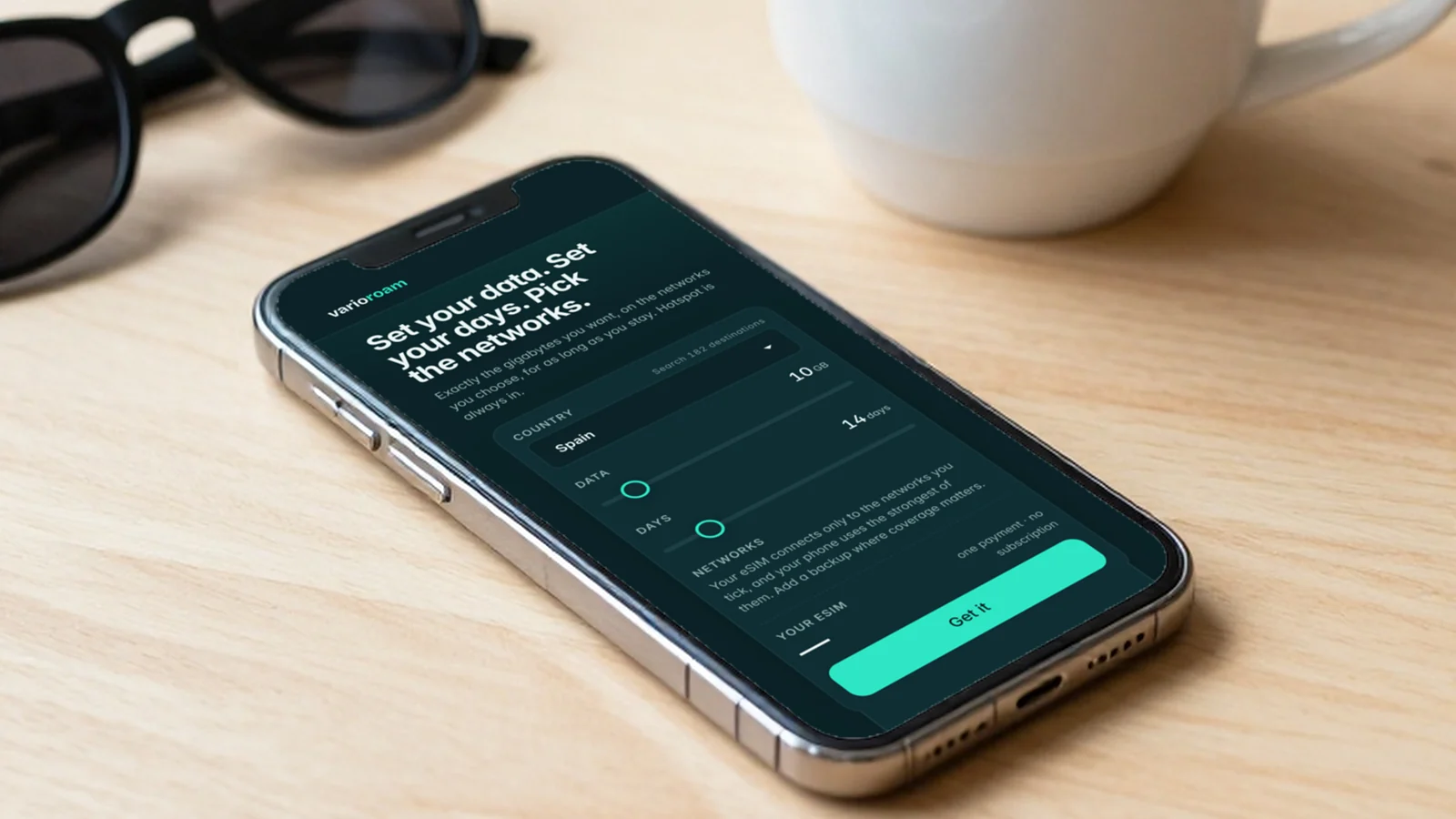
Most travel eSIMs hand you a shelf of boxes and ask you to pick the one that fits worst. Our new sister shop does the opposite: there is no shelf, no plans and no product numbers. You say which country, how much data, how many days and which networks, and you are quoted one price for exactly that.
Which is better in a way that is easy to explain and harder to use well. So here is the honest version, including the part where building it yourself can cost you more than buying a box.
What it actually is
One country, from a hundred and eighty-two. A pool of data anywhere between one and a hundred gigabytes, in whole gigabytes. A validity anywhere between one and ninety days. And a list of the mobile networks in that country, where you tick the ones you want the eSIM to be allowed to use.
The price moves with all four. Nothing is rounded into a bracket, and there is no bracket above you that you are quietly paying for. Hotspot is included, the eSIM arrives on screen and by email right after payment, and the days do not start until it first connects at your destination — so you can install it at home, on your own wi-fi, and switch the line on when you land.
Build your eSIM at varioroamThe two clocks, and the one people forget
Here is the thing that catches people, and it is a direct consequence of being allowed to choose.
Your eSIM ends when the data pool is used up, or when the days run out, whichever happens first. Two clocks, running at once, and almost everybody plans one of them carefully and the other by accident.
The common version is someone who sizes the data beautifully for a two-week trip and buys fourteen days, then has a flight moved and discovers that the gigabytes they still have are attached to a validity that expired yesterday. The reverse happens too: ninety days of validity bought for safety, with a pool that was gone in the first fortnight.
The fix is not complicated, it is just a thing nobody tells you. Size the days to the trip plus a margin for the journey home, and size the data to the days. And while both still have something left in them, you can add more of either to the same eSIM from your My eSIM page — same networks, same QR code, nothing to install. Once either clock has run out, that eSIM is finished and the next trip is a new one. The order of operations matters: topping up is something you do while it still works, not after.
How much data you actually use
The whole model depends on your estimate, so it is worth being plain about the numbers rather than letting you guess.
As a working guide, light use is about half a gigabyte a day — messages, maps, email, the occasional look at something. Normal use is around a gigabyte and a half: social media, music, a bit of video. Heavy use is about four gigabytes a day, which means video streaming, video calls, or running a laptop off the hotspot.
Most people are closer to normal than they think they are, and almost everybody underestimates maps. A week of ordinary travel is therefore around ten gigabytes rather than the three that feels about right in your head. Work it out from the days and the kind of use, and the number you get is usually a little larger than the one you were going to pick. That is not an upsell, it is arithmetic.
The networks question
This is the part of the configuration that looks cosmetic and is not.
Each country lists its mobile networks, and the cheapest is already ticked for you. Tick a dearer one and every network that is not dearer comes with it — the eSIM would include them anyway, so what you see ticked is exactly what you get. The price follows two simple rules: the dearest network on your eSIM sets the price of the data, and an eSIM that goes beyond the cheapest network carries one small fee, charged once, however many networks it ends up with.
The useful thing to understand is what you are buying. The eSIM can only use the networks that are ticked, and your phone picks the strongest of them wherever it happens to be.
So the cheapest network on its own is the cheapest configuration, and it is the right one for a city trip. More than one starts to make sense the moment you are going somewhere the coverage is patchy, or somewhere mountainous, or anywhere you would rather not discover that the one network you bought is the one with a hole in it over your valley. You are not buying speed when you add a network, you are buying a second chance.
When varioroam is the wrong shop
And the part a launch post is not supposed to include.
varioroam rewards knowing. If you have a clear idea of your trip and your usage, it fits you better than a box does, because you are buying a measured amount instead of a bracket. If you genuinely do not know — first trip to somewhere unfamiliar, a work trip whose shape keeps changing, a family where someone will inevitably stream something — then the estimate is the weak point, and a plan that removes the estimate may serve you better. The ibiPoint Data Packs are still here and still right for a great many trips.
And if the trip crosses borders, varioroam is one country per eSIM, so it is the wrong tool entirely. We built a different shop for that — variotrip, one eSIM for a route of up to eight countries — and it gets its own post next.
Otherwise: pick the country, set the two clocks honestly, tick a second network if the map looks empty, and install it before you fly.
Build your eSIM at varioroamNot sure how much data your trip needs? Talk to ibiPoint support — tell us the country, the days and what you do on your phone, and we’ll size it with you.